# Umbraco Automate

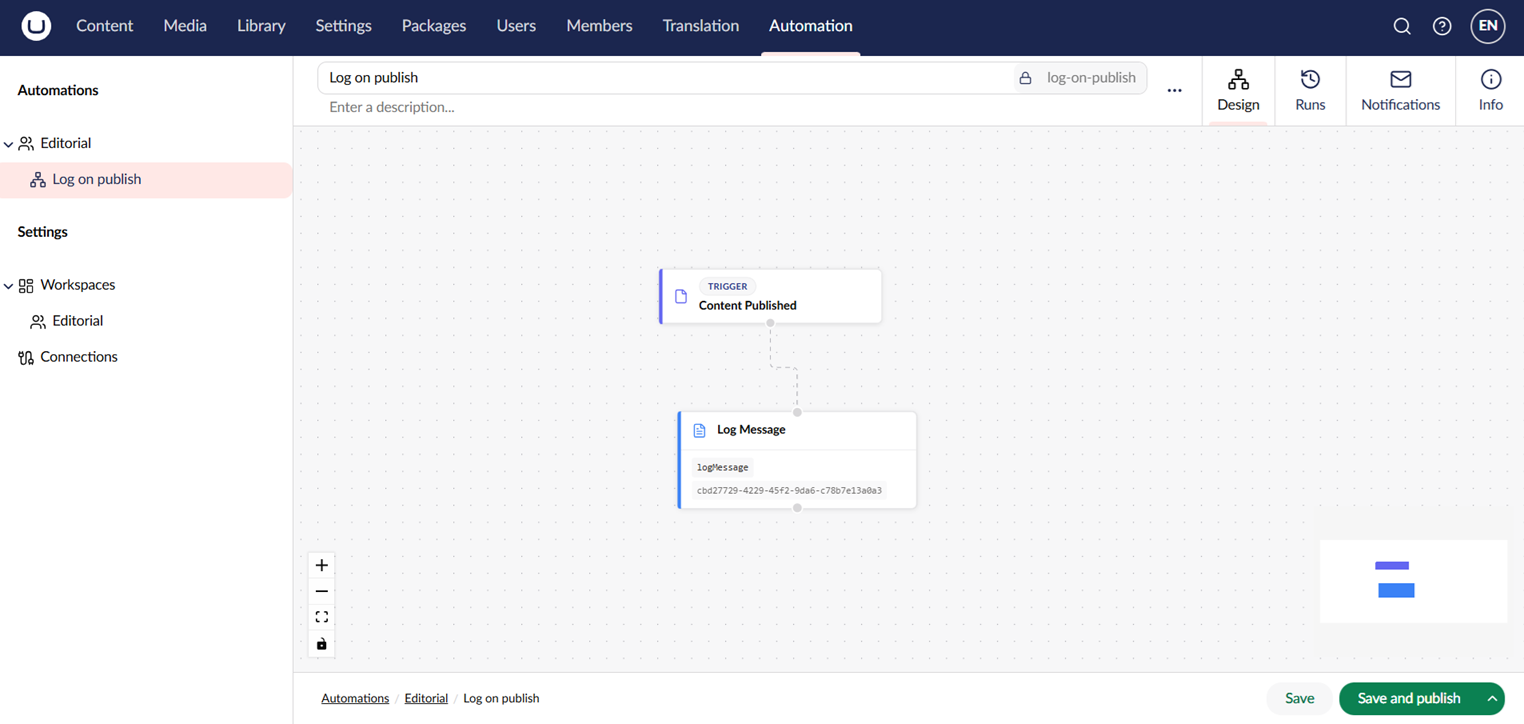
Umbraco Automate brings event-driven automation directly into Umbraco CMS. You build workflows on a visual canvas in the backoffice by combining triggers (events that start a flow) with actions (units of work). No external automation platform is needed.

<figure><img src="/files/49tPUXQbfsEkwIoB1yVt" alt="The Umbraco Automate canvas with a trigger and two actions connected."><figcaption><p>An automation built in the visual canvas editor.</p></figcaption></figure>

## Key Features

* **Visual canvas editor** — Build automations by dragging triggers and actions onto a canvas and connecting them.
* **Built-in triggers and actions** — React to content, media, and member events. Make HTTP requests, send email, publish content, and more.
* **Add-on packages** — Install packages such as Slack, Forms, Commerce, Engage, AI, and Deploy to add more triggers and actions.
* **Workspaces** — Group automations and scope which connections and users have access.
* **Connections** — Reusable credential sets for external services such as Slack.
* **Bindings** — Pass data between steps using `${ ... }` syntax with filters.
* **Run history** — Every run is recorded with per-step inputs, outputs, errors, and timing.

## Explore the Documentation

<table data-view="cards"><thead><tr><th></th><th data-hidden data-card-target data-type="content-ref"></th><th data-hidden data-card-cover data-type="image">Cover image</th></tr></thead><tbody><tr><td><strong>Getting Started</strong><br>New to Umbraco Automate? Start here.</td><td><a href="/pages/GcqmQZbeTi769fC8HcNy">/pages/GcqmQZbeTi769fC8HcNy</a></td><td><a href="/files/lr7AZBqpAZmdl0zh7eSm">/files/lr7AZBqpAZmdl0zh7eSm</a></td></tr><tr><td><strong>Core Concepts</strong><br>Learn how Umbraco Automate is structured.</td><td><a href="/pages/YBqHvqxhNjTvWT1VRYUK">/pages/YBqHvqxhNjTvWT1VRYUK</a></td><td><a href="/files/H8mJr4kVtb7GOVpkOpLd">/files/H8mJr4kVtb7GOVpkOpLd</a></td></tr><tr><td><strong>Using the Backoffice</strong><br>Manage workspaces, build automations, and review runs.</td><td><a href="/pages/L1kAxT1iYUKowZ1ZUgC9">/pages/L1kAxT1iYUKowZ1ZUgC9</a></td><td><a href="/files/HWOWjoC32zxWMQ70xg6a">/files/HWOWjoC32zxWMQ70xg6a</a></td></tr><tr><td><strong>Add-ons</strong><br>Install add-on packages to expand the catalogue of triggers and actions.</td><td><a href="/pages/xjMQMYQWwzTwL58PuJb6">/pages/xjMQMYQWwzTwL58PuJb6</a></td><td><a href="/files/RhCurfpqcj52wmLvqIHK">/files/RhCurfpqcj52wmLvqIHK</a></td></tr><tr><td><strong>Extending</strong><br>Create custom triggers, actions, and connection types.</td><td><a href="/pages/QblwqubdSPUsHT8oqt8w">/pages/QblwqubdSPUsHT8oqt8w</a></td><td><a href="/files/P9A9e17ZbSx7WJu78fT7">/files/P9A9e17ZbSx7WJu78fT7</a></td></tr></tbody></table>


---

# Agent Instructions: Querying This Documentation

If you need additional information that is not directly available in this page, you can query the documentation dynamically by asking a question.

Perform an HTTP GET request on the current page URL with the `ask` query parameter:

```
GET https://docs.umbraco.com/umbraco-automate/readme.md?ask=<question>
```

The question should be specific, self-contained, and written in natural language.
The response will contain a direct answer to the question and relevant excerpts and sources from the documentation.

Use this mechanism when the answer is not explicitly present in the current page, you need clarification or additional context, or you want to retrieve related documentation sections.