> For the complete documentation index, see [llms.txt](https://docs.umbraco.com/llms.txt). Markdown versions of documentation pages are available by appending `.md` to page URLs; this page is available as [Markdown](https://docs.umbraco.com/umbraco-automate/backoffice/workspaces.md).
# Manage Workspaces
Create and configure workspaces to group automations and scope access to connections and users.
A workspace groups related automations and controls which connections and users have access. See [Workspaces](/umbraco-automate/concepts/workspaces.md) for the underlying concept.
## Create a Workspace
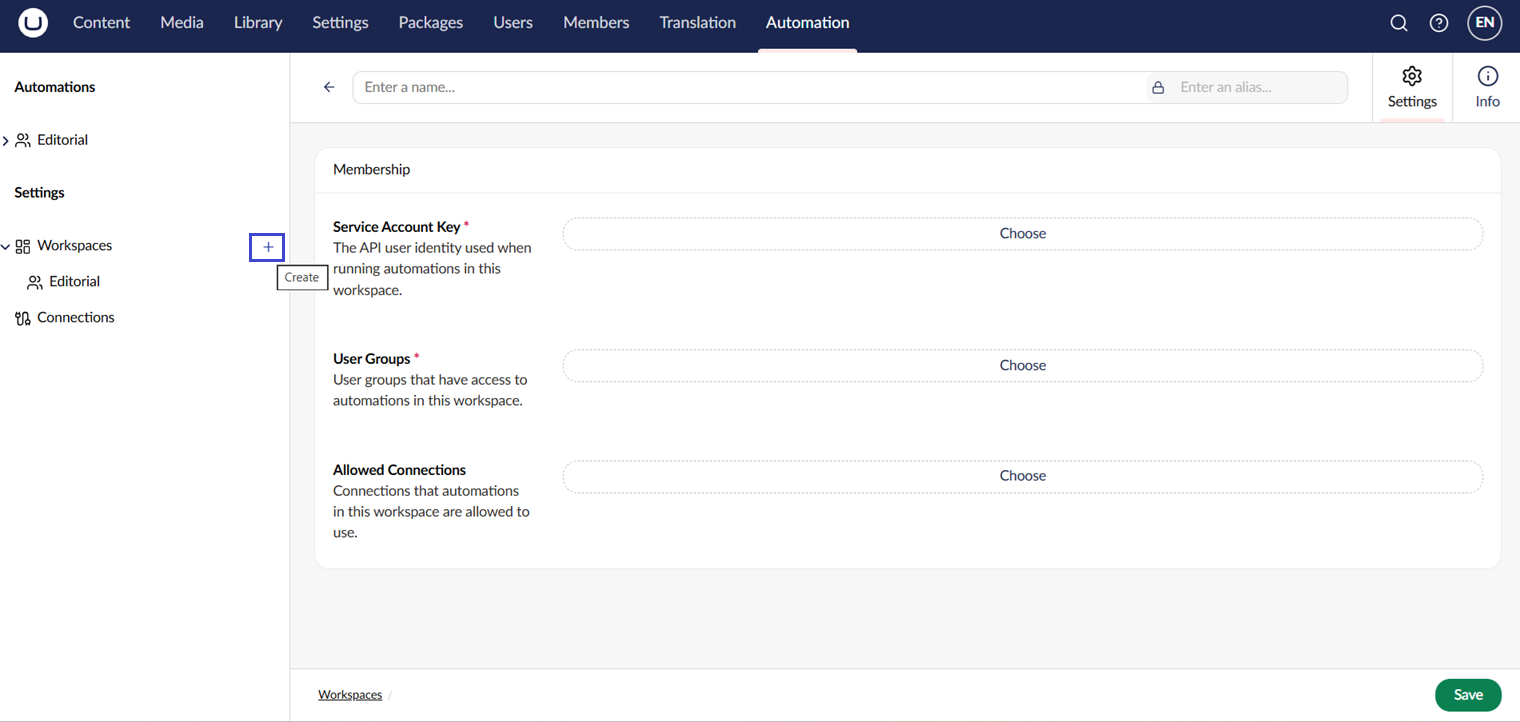
1. Open the **Automation** section.
2. Click **+** next to Workspaces, or select **Workspaces** and click **Create** above the list.
3. Enter a name for the workspace.
4. Choose the **Service Account Key** and **User Groups**. The service account must be an API user.
5. Click **Save**.
Creating a workspace.
## Workspace Editor
Open a workspace from the tree. The workspace editor has two tabs:
| Tab | Purpose |
| ------------ | ------------------------------------------------------------------------------ |
| **Settings** | Configure the workspace service account, user groups, and allowed connections. |
| **Info** | View the workspace version history, ID, and alias. |
### Settings
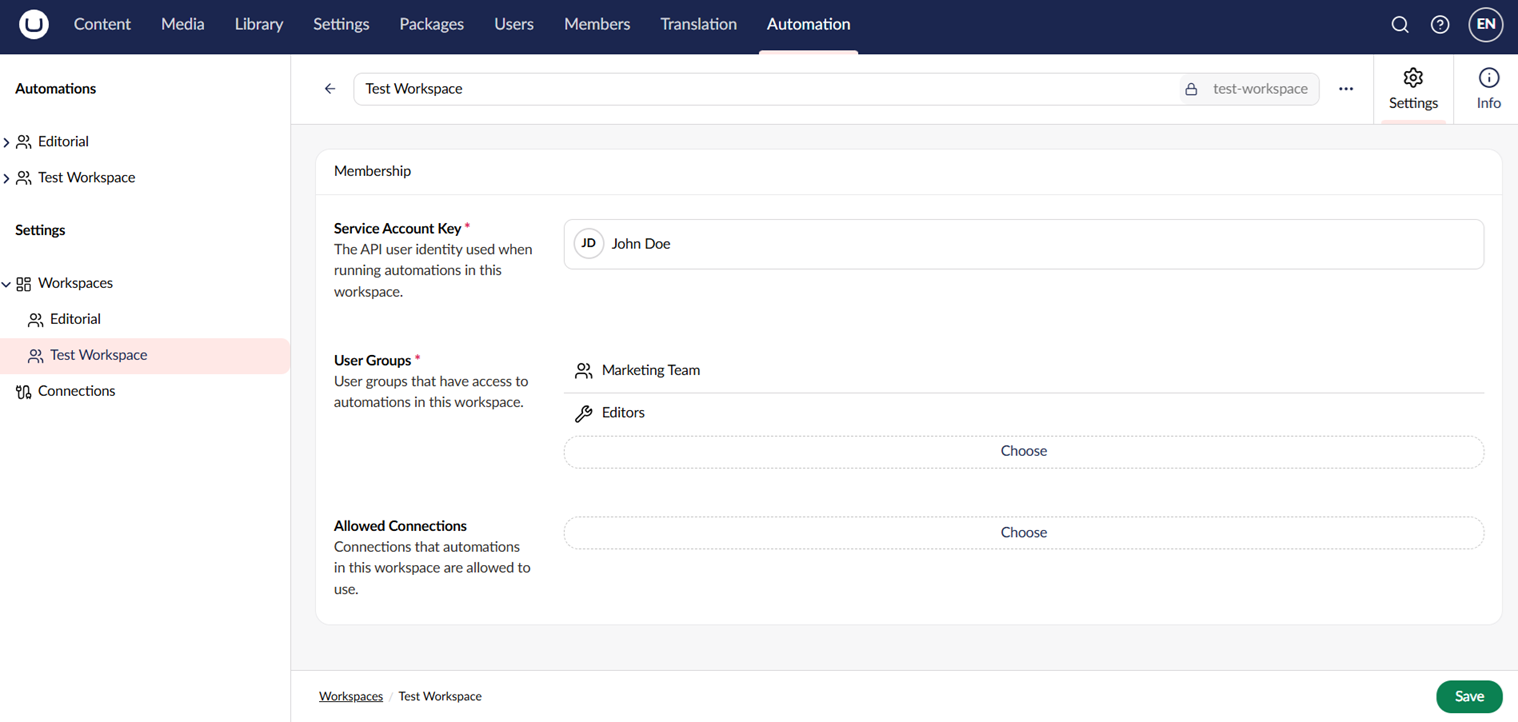
The **Settings** tab has three fields:
| Field | Purpose |
| ----------------------- | ------------------------------------------------------------------------------------------------------------------------------------------------------------------------------------------------------------------------------------------------------------------------------------------------------------------------------------------------------------------ |
| **Service Account** | The Umbraco API user that the automations in this workspace run as. Required. Regular backoffice users can't be selected. The account's section access, start node, and per-resource membership decide which triggers and actions the workspace can use — see [Service-Account Permissions](/umbraco-automate/concepts/workspaces.md#service-account-permissions). |
| **User Groups** | The Umbraco user groups whose members can view, edit, and run the automations in this workspace. Required. |
| **Allowed Connections** | The connections that the automations in this workspace can use. |
Configuring workspace settings.
{% hint style="warning" %}
Changing the service account on a workspace with published automations can take them offline.
Events the new account isn't authorized for are silently skipped at dispatch. Actions that need permissions it doesn't have fail with an authentication error.
Review the **Runs** tab after any service-account change.
{% endhint %}
{% hint style="info" %}
A workspace saved before this rule existed may have a regular backoffice user as its service account. Its automations keep running. The next save of the workspace is refused until you choose an API user. Create one in the **Users** section if you don't have one.
If a workspace was transferred from another environment (for example via Deploy), it may reference a user group that doesn't exist here. That group is dropped from **User Groups**. A warning tells you how many groups need to be added again.
{% endhint %}
## Workspace Groups
Workspaces can be organized into **workspace groups** — folders in the tree. To create a workspace group, right-click the root of the tree and select **Create workspace group**. Workspace groups are organizational only; they do not affect access.
## Delete a Workspace
Right-click a workspace and select **Delete**. Deleting a workspace deletes its automations and run history.
{% hint style="warning" %}
Workspace deletion is permanent. Export any automations you want to keep before deleting.
{% endhint %}
## See Also
* [Workspaces](/umbraco-automate/concepts/workspaces.md)
* [Managing Connections](/umbraco-automate/backoffice/connections.md)
---
# Agent Instructions
This documentation is published with GitBook. GitBook is the documentation platform designed so that both humans and AI agents can read, navigate, and reason over technical content effectively. Learn more at gitbook.com.
## Querying This Documentation
If you need additional information that is not directly available in this page, you can query the documentation by asking a question.
Perform an HTTP GET request on the following URL with the `ask` and `goal` query parameters:
```
GET https://docs.umbraco.com/umbraco-automate/backoffice/workspaces.md?ask=&goal=
```
`ask` is the immediate question: it should be specific, self-contained, and written in natural language.
`goal` is what the user is ultimately trying to achieve, the reason they need the answer. Sharing it helps GitBook give you a better, more relevant answer. A goal is most helpful when it describes the outcome the user wants rather than restating the question. For example, with `ask=how do I create an API token`, a goal like `automate deployments from our CI pipeline` lets GitBook tailor the answer to that use case.
The response will contain a direct answer to the question and relevant excerpts and sources from the documentation.
Use this mechanism when the answer is not explicitly present in the current page, you need clarification or additional context, or you want to retrieve related documentation sections.