> For the complete documentation index, see [llms.txt](https://docs.umbraco.com/llms.txt). Markdown versions of documentation pages are available by appending `.md` to page URLs; this page is available as [Markdown](https://docs.umbraco.com/umbraco-automate/concepts/control-flow.md).
# Control Flow
Branch and loop your automation with the If, Switch, While, ForEach, and Parallel control flow nodes.
Control flow nodes let an automation branch based on data or run steps repeatedly. They are added to the canvas in the same way as actions, from the same picker.
## Available Built-in Control Flow Nodes
| Node | Behaviour |
| ------------ | ------------------------------------------------------------------------------------ |
| **If** | Run the **then** branch when a condition is true, otherwise run the **else** branch. |
| **Switch** | Run the first case whose condition is true, or a **default** branch if none match. |
| **While** | Repeat the inner branch while a condition is true. |
| **For Each** | Run the inner branch once per item in a collection. |
| **Parallel** | Run multiple branches concurrently and wait for all of them to finish. |
## If
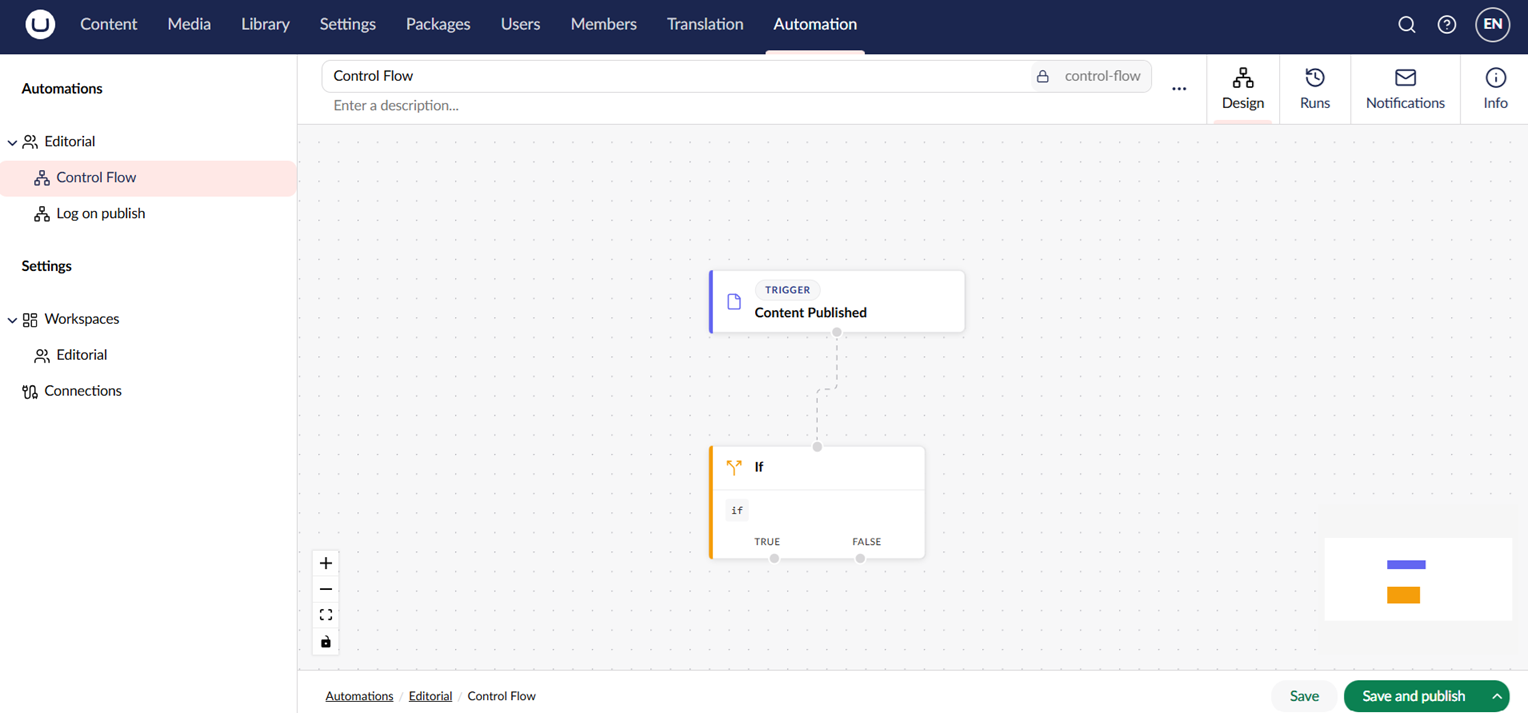
The **If** node evaluates a binding expression and routes the run down one of two branches. Use it to send only certain events to an action — for example, only Slack-notify when a content item of type `News` is published.
An If node with two outgoing branches.
## Body and Done: While, For Each, and Parallel
**While**, **For Each**, and **Parallel** are container nodes — instead of a single next step, each owns a body of steps and renders two handles:
* **Body** — the step(s) that run inside the loop, or as a branch of the Parallel.
* **Done** — the step that runs once, after every iteration or branch has finished.
Connect whatever comes next after the loop to the **Done** handle, not the Body handle. Otherwise, it runs on every iteration instead of once at the end.
For **Parallel** only, the Body handle accepts more than one connection — each one becomes its own concurrent branch. Every other output accepts one connection. Drawing a new connection from an output that is already connected moves that connection.
A step can receive connections from more than one output. Use this to rejoin branches, for example to connect both **True** and **False** of an **If** to one shared step. Automate refuses a connection that would create a loop.
{% hint style="info" %}
Automations built before these handles existed keep working as they did. With no Done connection, Automate works out what runs next from the shape of the steps drawn after the loop.
{% endhint %}
## For Each
The **For Each** node iterates over a collection. The current item and index are exposed inside the inner branch so you can reference them from steps:
```
${ loop.item.title }
${ loop.item.url }
${ loop.index }
```
## Other Steps That Branch
Not every branch comes from a control flow node. Some actions declare their own outcome handles. **Request Approval** branches on **Approved** and **Rejected** instead of running a single next step — see [Use Approvals](/umbraco-automate/backoffice/approvals.md).
## See Also
* [Bindings](/umbraco-automate/concepts/bindings.md)
* [Use Approvals](/umbraco-automate/backoffice/approvals.md)
---
# Agent Instructions
This documentation is published with GitBook. GitBook is the documentation platform designed so that both humans and AI agents can read, navigate, and reason over technical content effectively. Learn more at gitbook.com.
## Querying This Documentation
If you need additional information that is not directly available in this page, you can query the documentation by asking a question.
Perform an HTTP GET request on the following URL with the `ask` and `goal` query parameters:
```
GET https://docs.umbraco.com/umbraco-automate/concepts/control-flow.md?ask=&goal=
```
`ask` is the immediate question: it should be specific, self-contained, and written in natural language.
`goal` is what the user is ultimately trying to achieve, the reason they need the answer. Sharing it helps GitBook give you a better, more relevant answer. A goal is most helpful when it describes the outcome the user wants rather than restating the question. For example, with `ask=how do I create an API token`, a goal like `automate deployments from our CI pipeline` lets GitBook tailor the answer to that use case.
The response will contain a direct answer to the question and relevant excerpts and sources from the documentation.
Use this mechanism when the answer is not explicitly present in the current page, you need clarification or additional context, or you want to retrieve related documentation sections.