> For the complete documentation index, see [llms.txt](https://docs.umbraco.com/llms.txt). Markdown versions of documentation pages are available by appending `.md` to page URLs; this page is available as [Markdown](https://docs.umbraco.com/umbraco-automate/concepts/versioning.md).
# Versioning
Automations follow a draft and published lifecycle with full version history and rollback.
Umbraco Automate uses the same draft and published model as Umbraco content. Every save creates an immutable version. Only the published version responds to triggers.
## Draft and Published
| State | What it means |
| ----------------------- | -------------------------------------------------------- |
| **Draft** | Your in-progress edits. Does not run when triggers fire. |
| **Published** | The live version. Runs when triggers fire. |
| **Unpublished changes** | The draft is ahead of the published version. |
Editing a published automation creates a new draft. The live version keeps running until you publish your draft.
## Version History
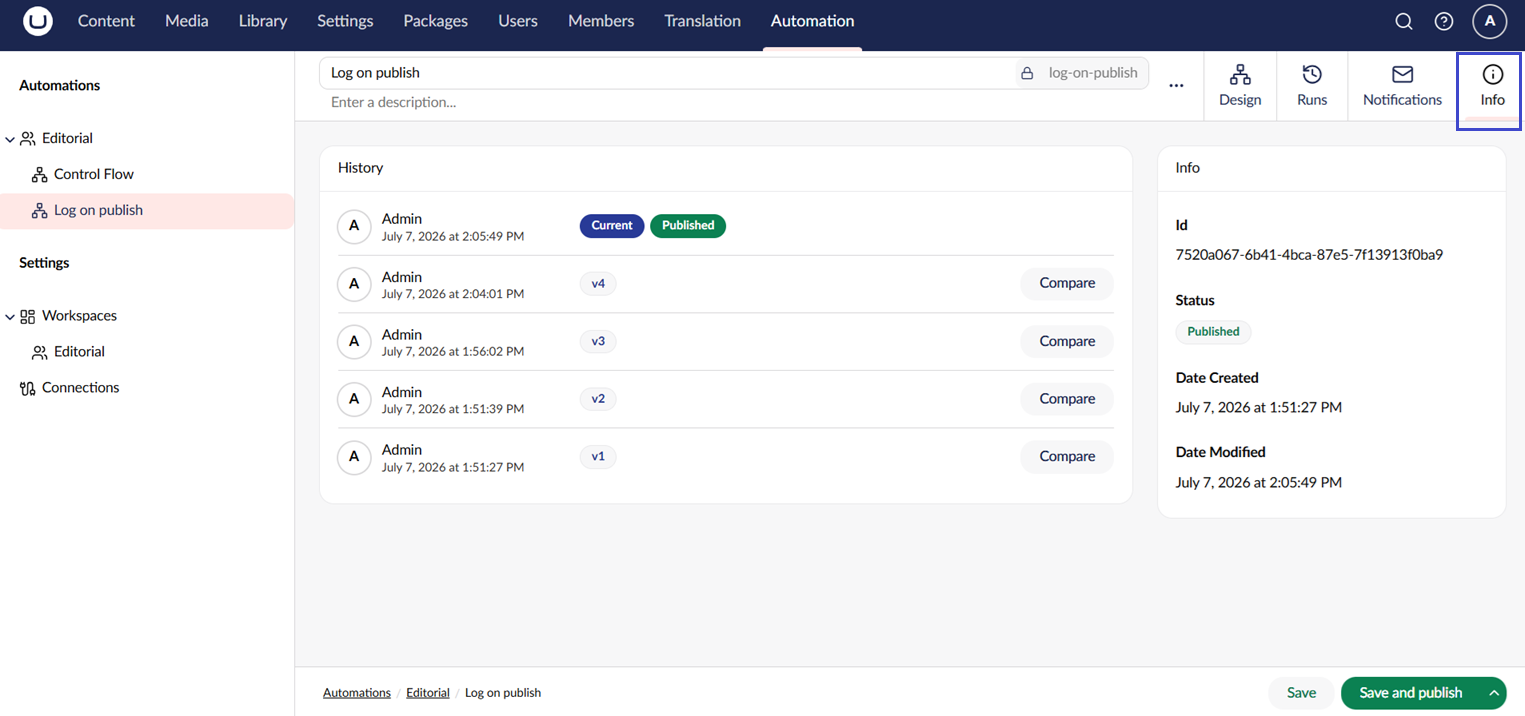
The **Info** tab on an automation lists every version with its publish date and the user who published it. From the version list you can:
* **View** a previous version on the canvas.
* **Rollback** to a previous version. Rollback creates a new draft based on the chosen version.
Comparing versions shows sensitive values as `********`. A changed value is still reported as a change.
The version history of an automation.
## In-Flight Runs
A run always completes on the version that was live when the run started. Publishing a new version, or rolling back, does not interrupt runs that are already in progress.
## See Also
* [Automations](/umbraco-automate/concepts/automations.md)
* [Runs](/umbraco-automate/concepts/runs.md)
---
# Agent Instructions
This documentation is published with GitBook. GitBook is the documentation platform designed so that both humans and AI agents can read, navigate, and reason over technical content effectively. Learn more at gitbook.com.
## Querying This Documentation
If you need additional information that is not directly available in this page, you can query the documentation by asking a question.
Perform an HTTP GET request on the following URL with the `ask` and `goal` query parameters:
```
GET https://docs.umbraco.com/umbraco-automate/concepts/versioning.md?ask=&goal=
```
`ask` is the immediate question: it should be specific, self-contained, and written in natural language.
`goal` is what the user is ultimately trying to achieve, the reason they need the answer. Sharing it helps GitBook give you a better, more relevant answer. A goal is most helpful when it describes the outcome the user wants rather than restating the question. For example, with `ask=how do I create an API token`, a goal like `automate deployments from our CI pipeline` lets GitBook tailor the answer to that use case.
The response will contain a direct answer to the question and relevant excerpts and sources from the documentation.
Use this mechanism when the answer is not explicitly present in the current page, you need clarification or additional context, or you want to retrieve related documentation sections.