> For the complete documentation index, see [llms.txt](https://docs.umbraco.com/llms.txt). Markdown versions of documentation pages are available by appending `.md` to page URLs; this page is available as [Markdown](https://docs.umbraco.com/umbraco-cloud/optimize-and-maintain-your-site/monitor-and-troubleshoot/usage/bandwidth.md).
# Bandwidth
Bandwidth in Umbraco Cloud refers to the amount of data transferred from your website to its visitors. Bandwidth is measured in Umbraco Cloud, and you can monitor your usage on the Umbraco Cloud Usage page.
## What is Bandwidth?
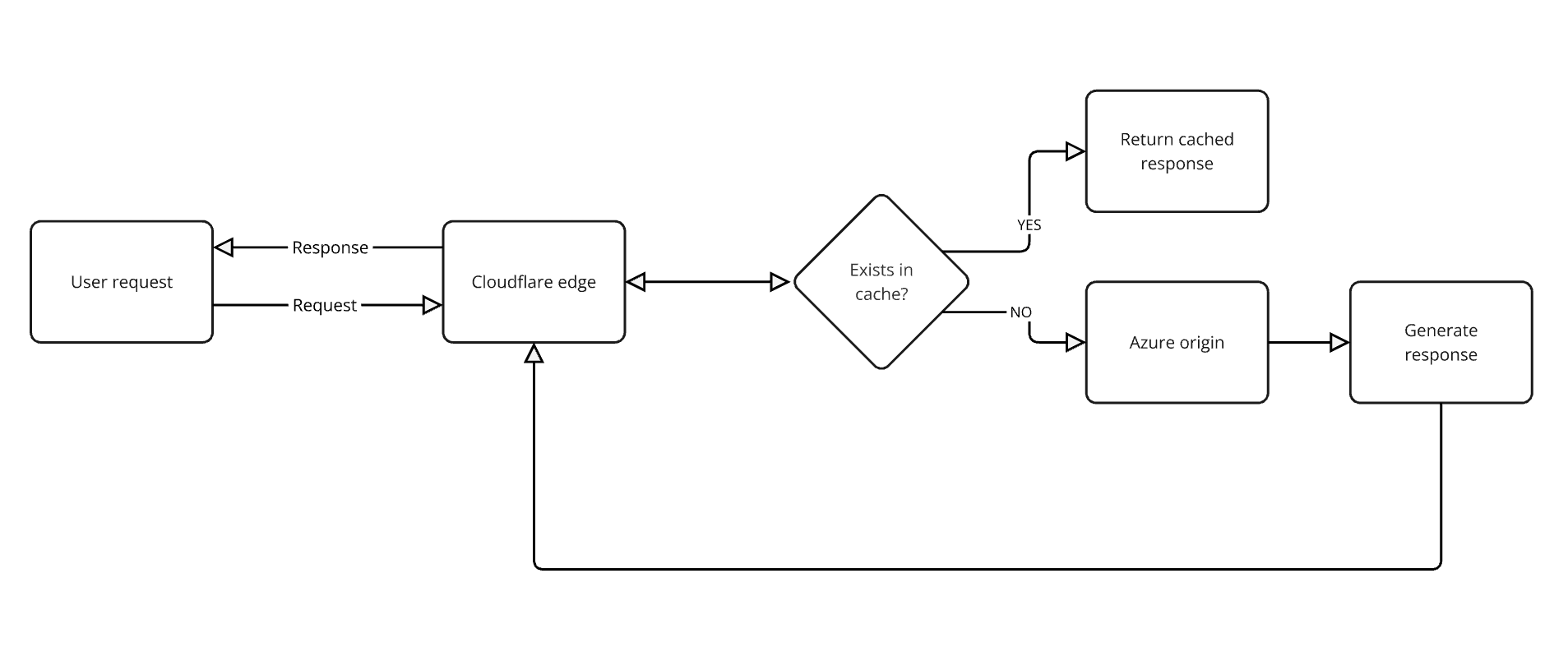
Bandwidth usage includes all data sent by your website. Every time a visitor loads a page, views images, or downloads files, data is transferred, contributing to your total bandwidth usage. This includes both requests served from the origin and those served from cache/edge.
## How is Bandwidth Measured?
In Umbraco Cloud, bandwidth is measured in gigabytes (GB). It represents the total amount of data transferred from your site to users over a period, typically one month. It is calculated by summarizing the `bytes_served` from all request logs at the edge. All requests, whether served from the edge or the origin, pass through the edge, so all egress bandwidth is summarized.
**What is Edge?**
The "edge" refers to servers located closer to the end-users, which cache content to reduce latency and improve load times. By serving content from these edge servers, we can deliver data more efficiently and quickly to users.
## How to Reduce Bandwidth Usage
To avoid upgrades to higher Umbraco Cloud plans and improve performance, consider the following optimization techniques:
* **Optimize Images**: Compress images and use modern formats like WebP to reduce their size without losing quality.
* **Cache Static Content**: Leverage caching mechanisms to reduce the number of times static assets (like images, CSS, and JavaScript) are requested from the server. You can control your caching configuration here.
* **Video Files**: Host videos on a dedicated platform such as [Vimeo](https://vimeo.com) or [YouTube](https://youtube.com) and embed them using an `