> For the complete documentation index, see [llms.txt](https://docs.umbraco.com/llms.txt). Markdown versions of documentation pages are available by appending `.md` to page URLs; this page is available as [Markdown](https://docs.umbraco.com/umbraco-cms/extend-your-project/backoffice-extensions/extending-overview/extension-types/entity-bulk-actions.md).
# Entity Bulk Actions
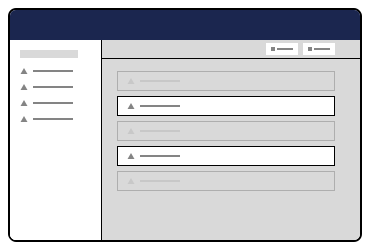
Bulk Entity Actions perform an action on a selection of items.
Extension authors can register an entity bulk action to appear in the collection selection toolbar.
Entity Bulk Collection
## Registering an Entity Bulk Action
Entity Bulk Action extensions can be included by importing a subclass of `UmbEntityBulkActionBase` to the `api` property. Placement within the backoffice can be controlled using the conditions property.
{% code title="index.ts" %}
```typescript
import { umbExtensionsRegistry } from '@umbraco-cms/backoffice/extension-registry';
import { MyEntityBulkAction } from './entity-bulk-action';
const manifest = {
type: 'entityBulkAction',
alias: 'My.EntityBulkAction',
name: 'My Entity Bulk Action',
weight: 10,
api: MyEntityBulkAction,
meta: {
icon: 'icon-add',
label: 'My Entity Bulk Action',
},
conditions: [
{
alias: 'Umb.Condition.CollectionAlias',
match: 'my-collection-alias',
},
],
};
umbExtensionsRegistry.register(manifest);
```
{% endcode %}
## The Entity Bulk Action Class
Entity Bulk Action extensions inherit from `UmbEntityBulkActionBase`, which expects the extension author to provide an implementation of `execute()`. The `UmbEntityBulkActionBase` class provides `this.selection` as a property, which contains a list of uniques from the content nodes that were selected by the user.
When the action is completed, an event on the host element will be dispatched to notify any surrounding elements.
{% hint style="info" %}
This code sample demonstrates overriding the constructor, which could be helpful in certain circumstances, such as consuming contexts. Extension authors can safely omit the constructor if no such need exists.
{% endhint %}
{% code title="entity-bulk-action.ts" %}
```typescript
import {
UmbEntityBulkActionBase,
UmbEntityBulkActionArgs,
} from "@umbraco-cms/backoffice/entity-bulk-action";
import { UmbControllerHostElement } from "@umbraco-cms/backoffice/controller-api";
export class MyEntityBulkAction extends UmbEntityBulkActionBase {
constructor(
host: UmbControllerHostElement,
args: UmbEntityBulkActionArgs,
) {
// this constructor is optional, override only if necessary
super(host, args);
}
async execute() {
// perform a network request
// await Promise.all(
// this.selection.map(async (x) => {
// const res = await fetch(`my-server-api-endpoint/${x}`);
// return res.json() as never;
// })
// );
// or fetch repository
// const repository = ...
// await repository.processItems(this.selection);
console.log(this.selection);
}
}
```
{% endcode %}
---
# Agent Instructions
This documentation is published with GitBook. GitBook is the documentation platform designed so that both humans and AI agents can read, navigate, and reason over technical content effectively. Learn more at gitbook.com.
## Querying This Documentation
If you need additional information that is not directly available in this page, you can query the documentation by asking a question.
Perform an HTTP GET request on the following URL with the `ask` and `goal` query parameters:
```
GET https://docs.umbraco.com/umbraco-cms/extend-your-project/backoffice-extensions/extending-overview/extension-types/entity-bulk-actions.md?ask=&goal=
```
`ask` is the immediate question: it should be specific, self-contained, and written in natural language.
`goal` is what the user is ultimately trying to achieve, the reason they need the answer. Sharing it helps GitBook give you a better, more relevant answer. A goal is most helpful when it describes the outcome the user wants rather than restating the question. For example, with `ask=how do I create an API token`, a goal like `automate deployments from our CI pipeline` lets GitBook tailor the answer to that use case.
The response will contain a direct answer to the question and relevant excerpts and sources from the documentation.
Use this mechanism when the answer is not explicitly present in the current page, you need clarification or additional context, or you want to retrieve related documentation sections.